
Enchanting: Difference between revisions
From TibiaScape
More actions
Publish the reviewed TibiaScape wiki organization and presentation |
Rewrite page as a concise factual reference and repair stale information |
||
| Line 1: | Line 1: | ||
= | <div class="tsw-article"> | ||
'''Enchanting''' changes the attributes of rarity equipment with special ores. Different ores add, remove, reroll, or upgrade parts of an item. | |||
{{Guide status|status=Server source verified|verified=26 August 2026}} | |||
== | <gallery mode="packed" heights="100"> | ||
File:Mystic ore novobigger.png|Rerolls attribute values | |||
File:Rarity Ore novobigger.png|Adds a random attribute | |||
File:Nullify Orebigger.png|Removes an unlocked attribute | |||
File:Cursed ore novobigger.png|Attempts a direct-stat upgrade | |||
</gallery> | |||
== Use an ore == | |||
# Unequip the eligible item. | |||
# Use the chosen ore on the item. | |||
# Read the result message and inspect the item before another attempt. | |||
Some attempts can fail, lower an attribute, reset an upgrade, or destroy the item. The result depends on the ore used. | |||
== Mystic Ore Table == | == Mystic Ore Table == | ||
# Place one identified rarity item with attributes inside the table. | |||
# Add Mystic Ore. | |||
# Use the table twice quickly to start it. | |||
The | The table consumes one Mystic Ore every 30 seconds. Each ore rerolls the item's attribute values and may improve, lower, or leave them unchanged. | ||
'''Related:''' [[Rarity]] · [[Exaltation Forge]] · [[Mining]] | |||
</div> | |||
[[Category:Professions]] | [[Category:Professions]] | ||
[[Category:Guides]] | [[Category:Guides]] | ||
Latest revision as of 01:58, 26 August 2026
Enchanting changes the attributes of rarity equipment with special ores. Different ores add, remove, reroll, or upgrade parts of an item.
Guide status: Server source verifiedLast verified: 26 August 2026
-
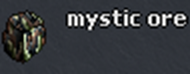 Rerolls attribute values
 -
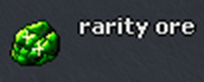 Adds a random attribute
 -
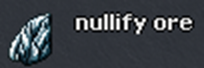 Removes an unlocked attribute
 -
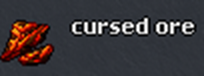 Attempts a direct-stat upgrade


Use an ore
- Unequip the eligible item.
- Use the chosen ore on the item.
- Read the result message and inspect the item before another attempt.
Some attempts can fail, lower an attribute, reset an upgrade, or destroy the item. The result depends on the ore used.
Mystic Ore Table
- Place one identified rarity item with attributes inside the table.
- Add Mystic Ore.
- Use the table twice quickly to start it.
The table consumes one Mystic Ore every 30 seconds. Each ore rerolls the item's attribute values and may improve, lower, or leave them unchanged.
Related: Rarity · Exaltation Forge · Mining